A remote MCP server
Point Cursor or Claude Code at https://makemeshes.com/mcp with your own
key. Tools: generate_asset, get_job,
list_assets.
Type what you want. Get back a sprite, a tiling texture, a 3D mesh, a model ready for your 3D printer, or a rigged character with a pack of animation clips. The files open in Unity, Unreal, Godot and your slicer. It all renders on a machine we own, not a rented API with a meter running.
Beta 3D print anything you can describe. Type it, pick a size in mm, download the STL.
Every output comes with commercial rights. A sprite or texture costs 1 credit, a mesh 3, a full animated character 7. You get 60 credits free when you join. No card.
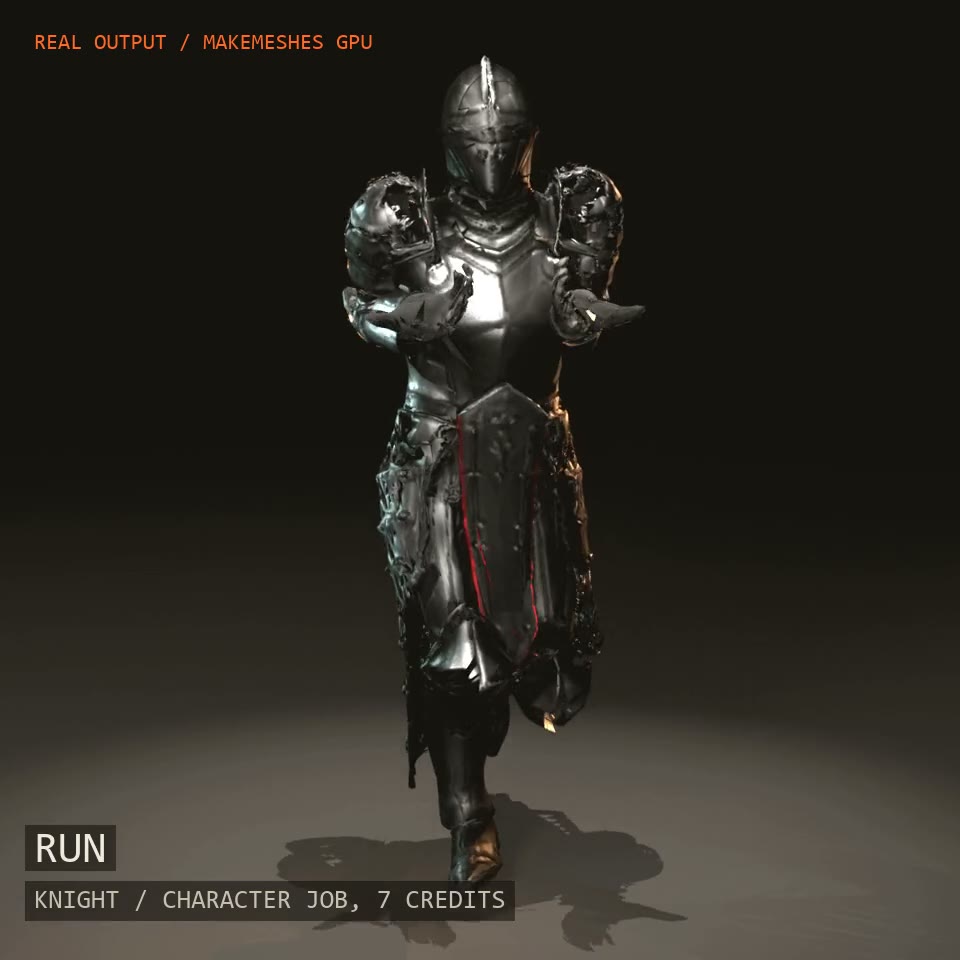
Real output from the makemeshes GPU. The knight is a character job and the horse is a motion job, shown in our Blender viewer on a plain stage, with cuts between clips and nothing else changed. We left out the clips that stretched the mesh.
Type a sentence, pick a size, download a file your printer already understands.
One sentence, like "chess knight, single piece, solid base". Or start from a mesh you already made here.
Say how tall it should be, from 5 to 500 mm. Solid, or hollow with drain holes to save resin.
You get a watertight STL and a 3MF in millimetres, with a flat base so it sits on the bed, and a report of its size and volume.
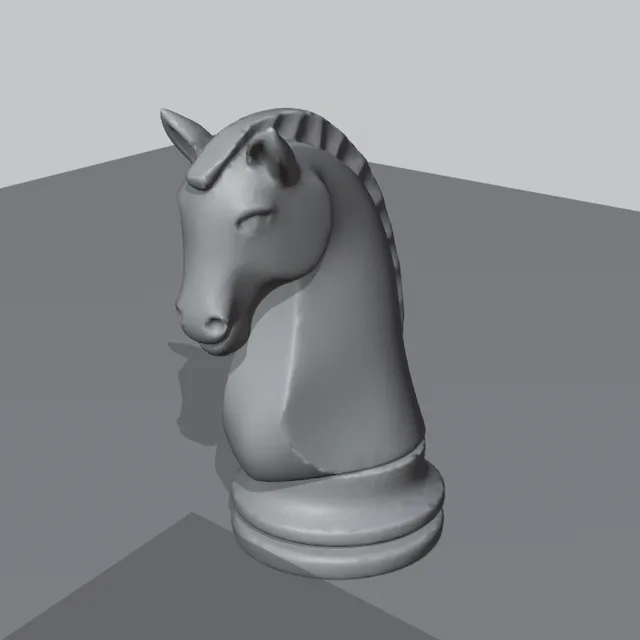
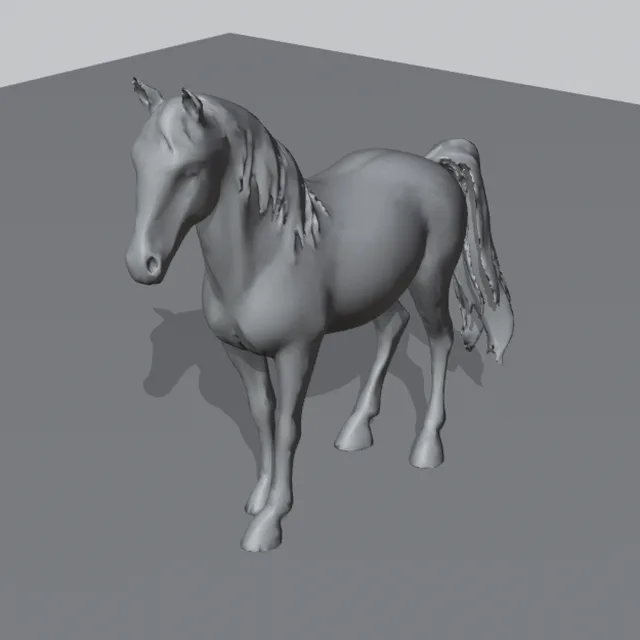
Real output from the makemeshes GPU, as the job pages show it. Both files were checked: closed surface, one piece, the height you asked for. Beta means in testing: thin parts can fail a hollow print (our first hollow horse did, and the job said so), so open the STL in your slicer before a long print. Failed jobs are refunded.
Eight job types, counting sheets. Each one has a flat credit price and a known set of files.
| Job | Credits | What you get | Made with |
|---|---|---|---|
| Sprite | 1 | PNG with alpha, 1024 by 1024 | FLUX.1 schnell |
| Texture | 1 | PNG, 1024 by 1024, tiles edge to edge | FLUX.1 schnell |
| Mesh | 3 | Textured GLB and a PNG preview | TRELLIS.2 |
| Sprite sheet | 2, 3 or 4 | One PNG sheet and a frame map, for 4, 8 or 16 frames | FLUX.1 schnell |
| 3D print Beta | 2 or 5 | Watertight STL and 3MF in millimetres, plus a preview | TRELLIS.2, mesh repair |
| Rig | 3 | Your mesh with a skeleton and skin weights, plus a rig report | UniRig |
| Motion | 2 | Unity FBX, Unreal FBX, Godot GLB and one mp4 preview per clip | Procedural motion, CMU mocap |
| Character | 7 | Prompt in, animated character out, for all three engines | All of the above |
Failed jobs are refunded in full. Sprites and textures are single images, not sheets, unless you ask for a sprite sheet on the job form.
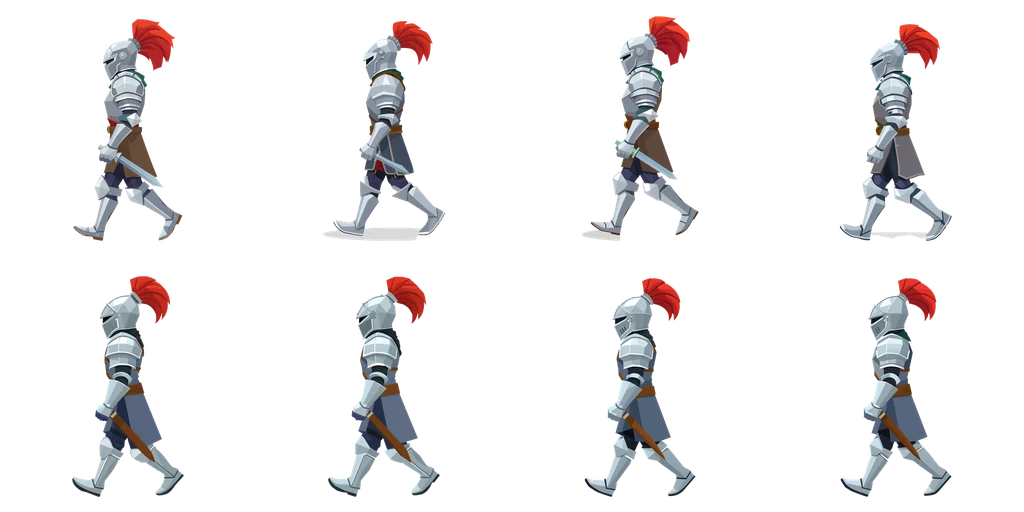
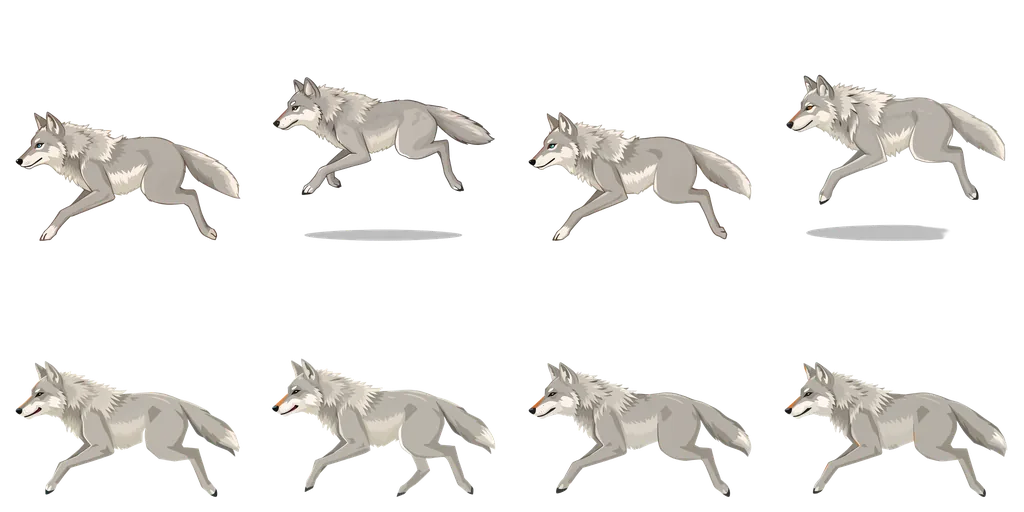
Two sprite sheet jobs, as they came back, on a checkerboard so you can see the alpha. Frames can drift a little from one to the next, as the wolf shows. The grid lines are drawn by this page, the frames are the PNG. A sprite sheet is one job: 4, 8 or 16 frames, in a grid or a strip.
The part most generators skip: a skeleton, and clips that play.
A character job draws a reference image, builds a mesh from it, rigs the mesh, then adds animation. One prompt, 7 credits. You can also run the steps yourself on your own GLB: rig is 3 credits, motion is 2.
Two animation packs are tested on generated characters. The humanoid pack has 16 clips, among them idle, walk, run, jump, punch, kick, hit react and death. The four legged pack has 23, including trot, gallop, pounce and howl. Packs for many legs, wings and snakes exist, but they are test rigs, and the job form says so.
Every clip is checked before it ships. A clip that tears the mesh or pushes a limb through the body is held back, and the report tells you which one and why. You get the clips that passed.
So you can tell a slow render from a broken one.
Pick a type, write a prompt, add a reference image if you have one. Credits are held when you submit and returned if the job fails.
The job waits its turn. The GPU machine asks the site for work over an authenticated API, so nothing on it is open to the internet.
ComfyUI runs FLUX schnell for images. TRELLIS.2 builds meshes and UniRig builds skeletons. Progress is reported as the work happens, not guessed.
Results sit in a private bucket. You download from your session or from a signed link that lasts an hour.
Nothing yet. The beta is free.
Join and you get 60 credits. That is 60 sprites, or 20 meshes, or 8 full characters with 4 credits left over. Paid plans come later, starting at $5 a month for 200 credits. They are not on yet and there is nowhere to enter a card.
Invite codes only, handed out by hand in small batches.
Leave your email. When there is room, you get a code. We use the email for that and nothing else. No newsletter.
Want to say what you are making? Use the longer form. Already have a code? Create an account.
The beta is small on purpose. One machine, one queue. If too many people show up at once the renders get slow, and a slow render is worse than a waiting list.
Once you are in you get 60 credits, three invites to pass on, a personal API key and an MCP endpoint your coding agent can call.
An agent should not have to scrape a website to make a texture.
Point Cursor or Claude Code at https://makemeshes.com/mcp with your own
key. Tools: generate_asset, get_job,
list_assets.
Bearer key, JSON in, JSON out, one OpenAPI file. Rate limited per key and scoped to your account.
Commercial rights, no credit line, no revenue share.
Use the output in a commercial game, a jam build, a client project or a store page. Change it, sell it as part of your game, ship it on console. You do not have to credit makemeshes. The models behind it are FLUX.1 schnell (Apache 2.0), TRELLIS.2 (MIT) and UniRig.
Read the licence. It is short.
Maybe. That depends on whether people want it.
We built makemeshes and we run it ourselves. If enough people want the code, we will release it. We are not saying what counts as enough, and there is no public counter, so there is nothing to game.
If you would use it, say so. Leave your email and, if you like, what you would use it for. We keep that so we can tell you if we do release it. We use it for nothing else.